


There are many ways to top up Mandiri e-tolls via cell phones that are available for us to choose from at this time. Apart from filling in Mandiri e-money via Livin by Mandiri, there are other applications that we can use to add e-toll balances.
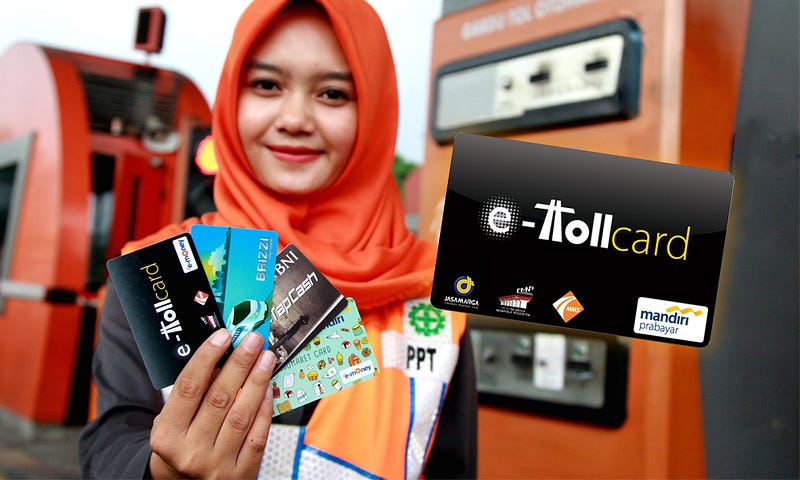
For example, we can use Shopee, Tokopedia, Bukalapak, Blibli, DANA and other applications. In order for the e-money card top-up process on an Android cellphone to run smoothly, it's best to do it from a cellphone with NFC.
Because after successfully topping up the balance, you have to update the balance so that the e-toll balance increases. If you don't update, the balance won't go into e-money even if the transaction is successful.
But if there is no HF with NFC, then you can update your Mandiri e-money balance at the nearest Mandiri ATM. It can also be through Mandiri EDC machines or at minimarkets such as Indomaret, Alfamidi or Alfamart.
Apart from topping up Mandiri e-money balances via m banking, Mandiri e-toll and Indomaret card users can top up balances using other applications.
The application for topping up Mandiri e-toll balances via cellphone is as follows:
1. Fill in E-Money from Livin by Mandiri
To top up Mandiri e-toll balances via Mandiri m banking or New Livin by Mandiri, the method is:
Open the New Livin by Mandiri application then log in.
Select e-money.
Fill in the Mandiri e-toll card number or you can also attach the card to the back of your cellphone then select Top Up.
Select or fill in the nominal to top up the e-money balance of at least 1,000 rupiah, then continue.
Select Continue Top-up.
Enter your m banking Mandiri PIN.
When finished, attach the e-money card to the back of the cellphone to update the balance.
The advantage of filling in the e-toll card balance at New Livin by Mandiri is that it is not subject to admin fees. Apart from that, you can fill in the nominal as you wish, for example 1,000, 25,000, 130,000 and so on.
However, the drawback is that you can only top up e-money via Mandiri Online if you have a Bank Mandiri account.
2. Mandiri E-Toll Top Up at DANA
The next option for those who want to add to their Mandiri e-toll balance from an Android phone is to use the DANA application.
Currently, the DANA application already has a new feature, namely being able to top up Mandiri e-money. The method is as follows.
Open the DANA application.
Select the View All menu.
Then select E-Money in the top up menu.
Select Mandiri e-money.
Enter the 16-digit Mandiri e-money card number.Choose a nominal e-toll top up balance of at least 20,000 rupiah.
Check I Agree With Terms & Conditions then Confirm.
Tap Pay.
Enter the DANA PIN.
Wait for the transaction to complete.
After the Mandiri e-toll top up transaction is successful, select View Transaction, then select Check Balance.
Attach the Mandiri e-toll card to the back of the cellphone to update the balance.
The minimum limit for topping up Mandiri e-money balances at DANA is currently 20,000 rupiah with an admin fee of 1,500.
This method can be an alternative for those who do not have Mandiri m banking or do not have Mandiri ATM cards.
Just open the DANA application, then you can top up your e-toll balance via cellphone easily and quickly.
3. Fill in the Mandiri E-Money Balance via Shopee
Shopee is a marketplace platform that provides electronic money refill services. Not only Mandiri e-money, but you can also top up Brizzi and BNI Tapcash balances from your cellphone.
How to top up Mandiri e-toll via Shopee is as follows.
Open the Shopee app.
Select Credit, Billing & Entertainment.
Then select Electronic Money.
Enter the Mandiri e-toll card number that you will top up at Shopee.
Choose a minimum e-money top up nominal of 10,000 then continue.
Choose a payment method.
Tap Pay Now.
After the transaction is complete, select Update Balance.
Attach the Mandiri e-money card to the back of the cellphone and wait until the e-toll balance update at Shopee is successful.
Unlike DANA, the minimum top-up limit for Mandiri e-money at Shopee is lower, which is only 10,000 rupiah.
However, the admin fees for both are the same, namely 1,500 rupiah per transaction.
4. How to Top Up E-Toll Mandiri at LinkAja
LinkAja can be used for payments or filling in e-money balances. But if in your LinkAja application there is no electronic money menu, then try upgrading LinkAja to full service first.
The minimum limit for e-toll contents via LinkAja is 20 thousand with an admin fee of 1,500 or the same as top up via DANA.
The steps for Mandiri e-toll top up via LinkAja are as follows.
Open the LinkAja application.
Select the All menu.
Then select Electronic Money Card.
Enter the Mandiri e-toll card number that you will top up at LinkAja then Continue.
Choose a nominal top-up e-money balance at LinkAja, a minimum of 20,000.
Then select Confirm.
Enter the LinkAja pin.
After the transaction is complete, attach the e-money card to the back of the cellphone to update the e-toll balance at LinkAja.
LinkAja can be another option for those who want to add or top up Mandiri e-tolls via cellphone. But if you don't have a cellphone with NFC or don't have a LinkAja account, then you can try Mandiri e-money top up at Indomaret, Alfamart and Alfamidi.
Referensi Terkait:
https://wigatos.com/18881-cara-mengisi-kartu-e-toll/
https://wigatos.com/18888-cara-mengisi-kartu-brizzi/


